CSSI helps investment firms improve performance reports produced from APX and Axys. Scope the work around your source calculations, custom report layouts, recurring package checks, and client delivery. Start with one reporting cycle and an agreed reference report.
Custom APX and SSRS report development around your existing data
Explicit checks for periods, portfolio groups, benchmarks, and presentation
Recurring report packages and secure delivery through Portal+
From a CSSI customer engagement
See reporting built around an existing Axys system
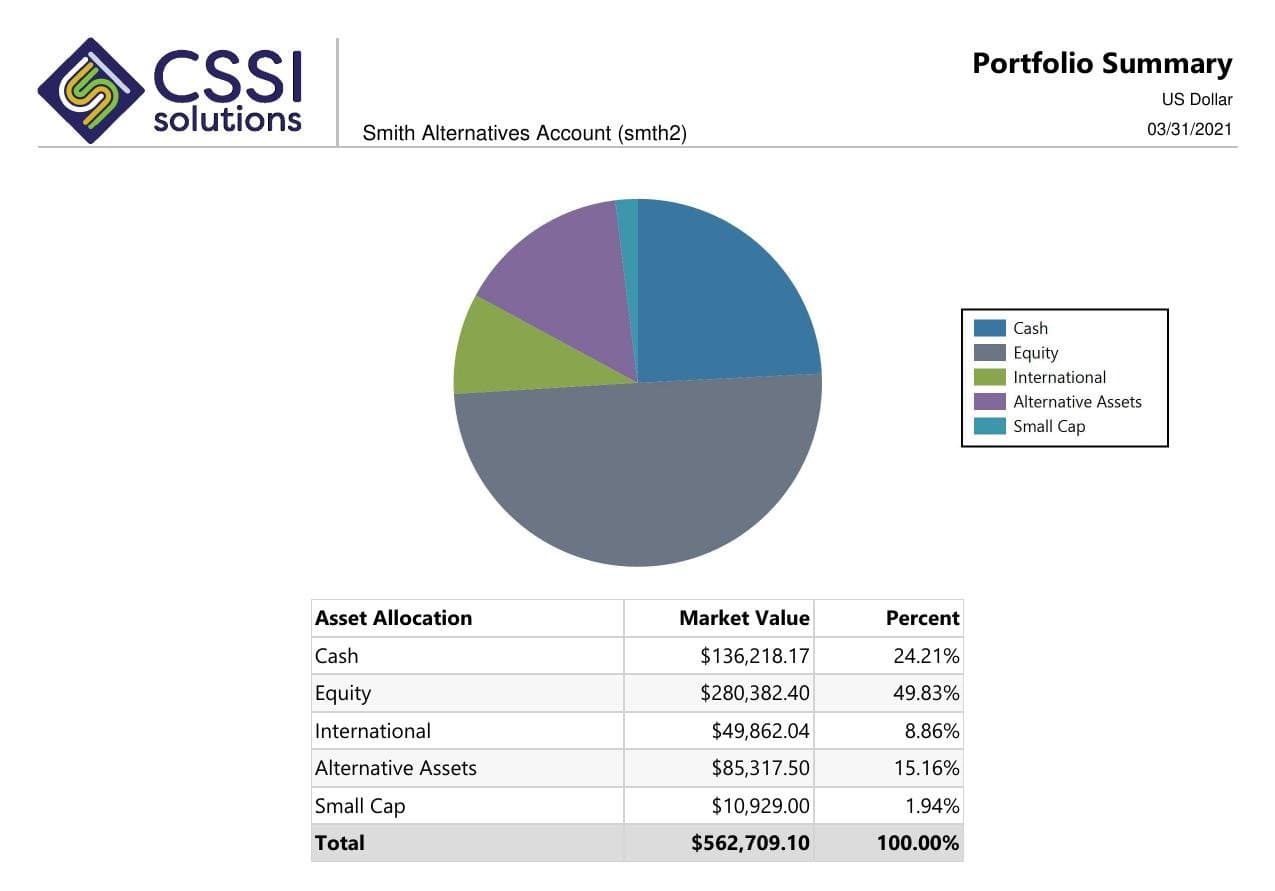
In a published CSSI engagement, a long-only equity manager used Portal+ to modernize quarterly report preparation and delivery while retaining Advent Axys. The case study includes before-and-after report examples. Use it to review the reporting approach; each engagement needs its own scope.
A firm may already have usable performance calculations but need a different layout, a clearer account or composite view, or less manual package assembly. CSSI can review the reports and identify the development and operations work needed to produce the agreed output.
Set calculation and approval responsibilities
Identify the system supplying returns, the methodology your firm uses, and the people who approve the results. A layout change and a calculation change need different validation. Agree which responsibilities belong to your team and which CSSI will support before development starts.
Review checklist
What to check before a performance report is released
Use this checklist to define a reporting project. The reference numbers and approval rules should come from your firm's agreed reporting policy.
Scroll across to review all three columns.
What to check before a performance report is released
Check
Evidence to compare
Ready for approval when
Period and valuation date
The requested start and end dates, valuation date, and source-system close calendar.
The heading, source extract, and calculated periods refer to the same reporting window.
Portfolio and group scope
The approved account or composite list, including the treatment of closed accounts and changes in membership.
The report includes the intended population and identifies any documented exclusions.
Returns and cash flows
The agreed source performance report and the cash-flow records used for the period.
Returns tie to the approved reference within your agreed tolerance; differences have an owner and explanation.
Benchmark context
The selected benchmark series, reporting period, currency, and display labels.
The comparison uses the intended series and period, with any differences in basis explained.
Fees and presentation
The firm's gross or net labels, fee treatment, disclosures, and approved report layout.
Readers can identify the basis of the figures and the required reviewers have approved the presentation.
Exceptions and release
The open-item list, final package version, and named report approver.
Material exceptions are resolved or explicitly handled under the firm's release policy before delivery.
Example scope
A quarterly performance report with a benchmark mismatch
Illustrative workflow: an investment manager's account return agrees with APX, but the benchmark line on the client report shows a different period. Reformatting the report alone will not fix that discrepancy. The first step is to compare the report parameters, benchmark source, and date range with the agreed reference.
A useful project scope separates the correction from the recurring check: document the intended series, update the report where required, compare a sample package, and record the approval before publishing. Then retain those parameters with the package so the next reporting cycle can use the same check.
Pilot workflow
Start with one reporting cycle
Define one report.
Choose the account, household, or composite output, its reporting period, and the reference against which it will be checked.
Separate data from presentation.
Identify whether the issue starts in source data, calculation settings, report logic, package assembly, or delivery. Document the work and approval owner for each affected step.
Build and compare a sample.
Review the layout and numbers against the agreed reference. Retain the exceptions and approvals with the sample before scheduling a recurring run.
Repeat and measure.
Record preparation time, unresolved differences, and corrections after review. Use the next cycle to see whether the scoped change reduced rework.
If the report needs a new layout or data view, scope the development separately from recurring package operations. Explore custom report development.
Client report packages for RIAs
Set the package contents, household rules, review owners, and delivery steps for a recurring RIA reporting cycle. Review this reporting workflow.
Investment analytics reporting requirements
Define the source, grouping, benchmark, and validation rules for analytics shown in an investment report. Review this reporting workflow.
Multi-custodian investment reporting
Check account mappings, source dates, transfers, and reconciliation before combining custodial data in a report. Review this reporting workflow.
Questions
Frequently asked questions
Straight answers to the implementation, workflow, and fit questions that usually come up first.
Can CSSI improve performance reporting while we keep APX or Axys?
Yes. CSSI supports report development, recurring packages, and reporting workflows around APX and Axys. The first review identifies the output to change and the source data, calculations, and approvals it depends on.
Is performance report development the same as changing the return calculation?
They are separate scopes. A report can present figures from an existing calculation, while changing methodology or source settings requires additional validation. Identify the source of the numbers and the validation responsibilities at the start.
Where does Portal+ fit in performance reporting?
Portal+ supports client-facing report packages, dashboards, and secure delivery using existing portfolio data. APX or Axys remains the accounting and performance source. CSSI can also support the report layouts that feed the package.
What should we compare during a pilot?
Choose an agreed reference report and compare periods, account scope, returns, cash flows, benchmark context, and presentation. Define tolerances and approval owners before treating a sample as ready for recurring delivery.
Next step
Review one reporting workflow with CSSI
Use one performance report to identify the source, layout, review, or delivery work that needs to change. CSSI can help turn that into a defined reporting project.