Celebrating 31 Years of Client Service in 2026

610-992-9287
Portal+ Integration

APX client portal integration for RIAs

APX handles portfolio accounting and reporting well. What it does not handle well is the last mile: getting reports into client hands reliably, keeping historical documents accessible, and giving advisors quick answers between reporting cycles. That is where Portal+ fits.

  • Deliver APX-generated SSRS report packages through a secure vault
  • Give clients one consistent place to retrieve statements and documents
  • Use dashboards to reduce "can you run a quick report" requests
APX client portal integration

The gap between APX and your clients

APX is good at what it does. Portfolio accounting, reconciliation, SSRS reporting, composite management. The problem is never the report itself. The problem is what happens after the report is generated.

Reports get emailed as attachments

Your team generates SSRS packages, exports PDFs, and sends them through email. When a client loses one, you resend it. When someone leaves the firm, the distribution list breaks.

Clients have no self-service access

APX was not built to be client-facing. Clients cannot log in and pull their own prior statements. Every retrieval request comes back to your team.

Between-cycle questions generate custom work

When a client calls mid-quarter asking about their holdings, someone has to run a report. That is time your team could spend on higher-value work.

How APX + Portal+ works in practice

Portal+ does not replace APX. It sits on top of it. Your team keeps using APX for portfolio accounting and report generation. Portal+ handles the delivery, access, and client-facing experience.

SSRS report packages go to the vault

Instead of exporting PDFs and attaching them to emails, report output is published to a secure document vault. Clients retrieve documents there. Your team publishes once and the delivery is done.

Permissions match your firm structure

APX has its own user model, but it was designed for internal staff. Portal+ adds a client-facing permission layer so advisors, operations, and end clients each see what they should see.

Dashboards fill the gaps between statements

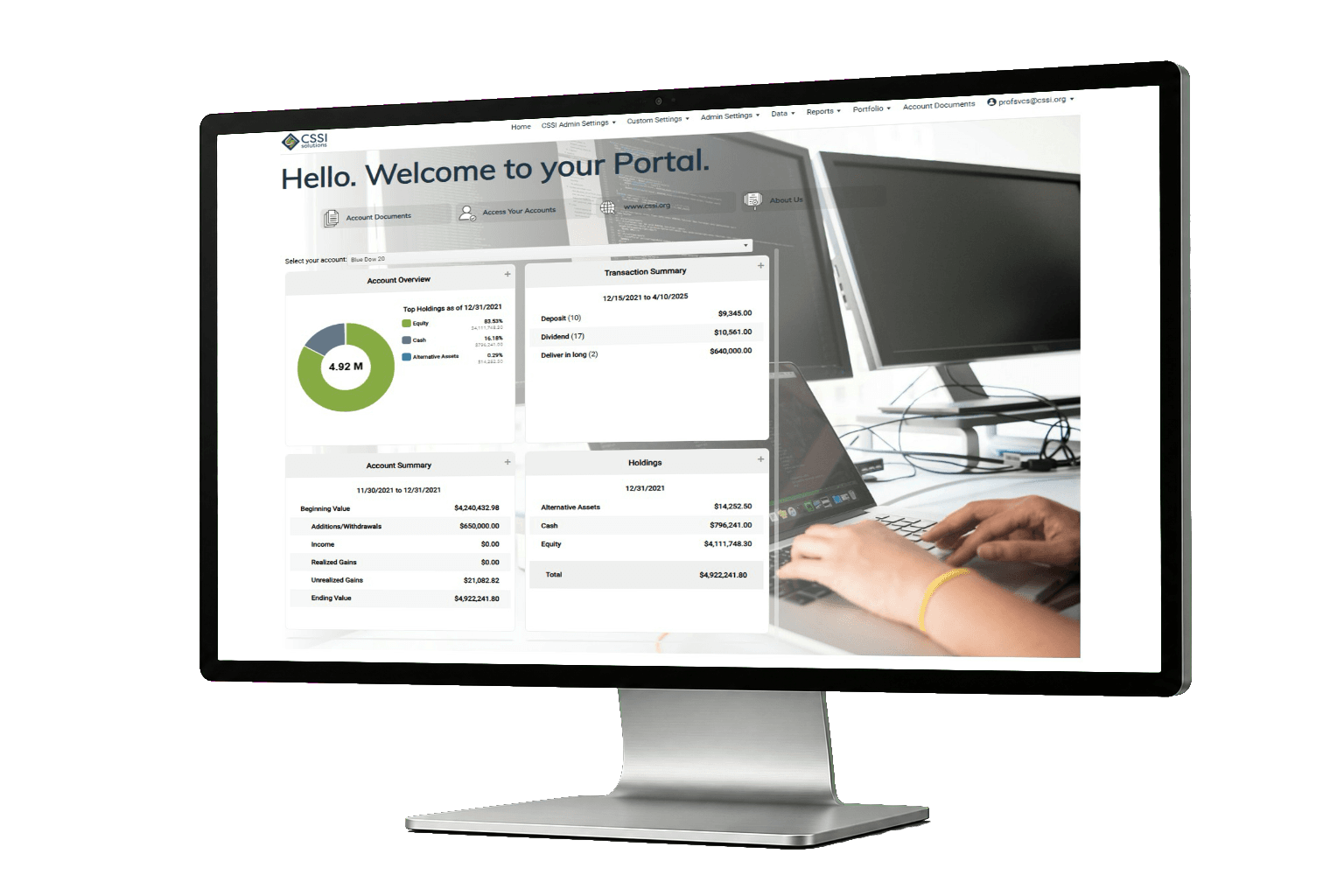
Holdings, performance, transactions. The common questions clients ask between reporting cycles can be answered through dashboard views instead of generating a new report every time.

Report templates stay consistent

Portal+ supports 50+ standard reports with date mnemonics (QTD, MTD, YTD, trailing periods). You build templates once and reuse them across segments and cycles.

Who this integration is for

Operations teams running APX daily

If your team generates SSRS report packages, manages reconciliation workflows, and handles distribution manually, Portal+ removes the delivery friction. You keep APX for accounting. Portal+ handles client-facing access.

Firms that want a portal without replacing their stack

Some vendors force you to adopt their entire platform. Portal+ does not require that. If APX is working for portfolio accounting, keep it. The portal layer can operate independently of your core accounting system.

What implementation looks like

The fastest path is to pick one recurring report package that causes the most friction and stabilize delivery for that package first. Once that workflow is clean, expanding to additional segments and templates is straightforward.

  1. Pick a report package. Usually this is your quarterly performance package or your monthly statement bundle. Whatever your team spends the most time packaging and resending.
  2. Set up the vault structure. Decide how documents are organized (by household, by account, by period) and what clients see vs. what stays internal.
  3. Configure permissions. Advisors need one view, client service needs another, and clients need a third. Get this right early and you avoid rework later.
  4. Pilot with a small group. Ten households is enough to find the real problems. Fix those before rolling out to the full client base.
  5. Expand and add dashboards. Once delivery is stable, dashboard views reduce the ad hoc report requests that pull your team off their primary work.

Why APX firms end up needing a portal

APX was built for back-office teams. It does portfolio accounting, reconciliation, composite management, and SSRS-based reporting. For those jobs, it works. The issue is that none of those capabilities face the client directly.

So the delivery process ends up being manual. Someone generates the report. Someone exports the PDF. Someone attaches it to an email. Someone updates a distribution spreadsheet when a client address changes. And when quarter-end hits, the entire team is doing this at scale while also handling exceptions from the last cycle that never got cleaned up.

A portal changes where documents live and how they get delivered. Instead of pushing files out through email, the team publishes to a vault and clients pull from it. That one change tends to reduce resend volume, simplify compliance tracking, and give clients a self-service habit that cuts down on support requests.

Dashboards are the second lever. Between reporting cycles, clients still want answers. How are my holdings allocated? What was my performance last month? Did that trade settle? Without dashboards, each of those questions turns into a custom report request. With dashboards, advisors can point clients to a view that already exists.

The firms that get the most value from this integration are the ones that treat it as an operations improvement, not a technology purchase. The goal is not a shinier login screen. The goal is fewer exceptions, fewer resends, and a delivery process that does not fall apart when your best ops person goes on vacation.

Questions to ask before adding a portal to APX

Not every firm needs a portal right now. But if you answer yes to two or more of these, you are probably past the point where email delivery is sustainable.

  • Does your team resend the same reports multiple times per cycle?
  • Do clients have to email you to get a copy of a prior statement?
  • Does your distribution process depend on one person remembering all the exceptions?
  • Are advisors generating custom reports for questions that a dashboard could answer?
  • Would a new hire be able to run your delivery process without training from the person who built it?
  • Do you worry about sensitive documents sitting in client inboxes with no access controls?

See how Portal+ works with APX

We will walk through your current APX reporting workflow, identify where delivery breaks down, and show you what the portal layer looks like in practice. If it is not a fit, you will know quickly.

FAQ

Do we need to replace APX?

No. Portal+ is the delivery and client-facing layer. APX stays as your portfolio accounting and reporting engine. The two work together.

Can we deliver SSRS report packages through the portal?

Yes. SSRS-generated output can be published to the document vault for client retrieval instead of being emailed as attachments.

How does this affect our reconciliation workflow?

It does not. Reconciliation stays in APX. Portal+ only handles the client-facing delivery and access layer.

What about firms that also use Black Diamond or another portal?

Some firms run multiple systems. Portal+ can coexist with other tools or replace a portal that is not meeting operational needs. That is a conversation worth having during the demo.

Can clients see dashboards between quarterly reporting cycles?

Yes. Dashboard views for holdings, performance, and transactions are available between formal reporting periods so clients can self-serve common questions.

How long does implementation take?

It depends on scope, but most firms can stabilize one report package and vault structure within a few weeks. Broader rollout follows after the pilot is validated.

Does Portal+ support composite reporting?

Portal+ can deliver composite reports through the vault. Composite maintenance and calculation stays in APX.

What is the right first step?

A demo focused on your current APX reporting workflow and the specific delivery problems you want to fix.