Celebrating 31 Years of Client Service in 2026

610-992-9287
Portal+

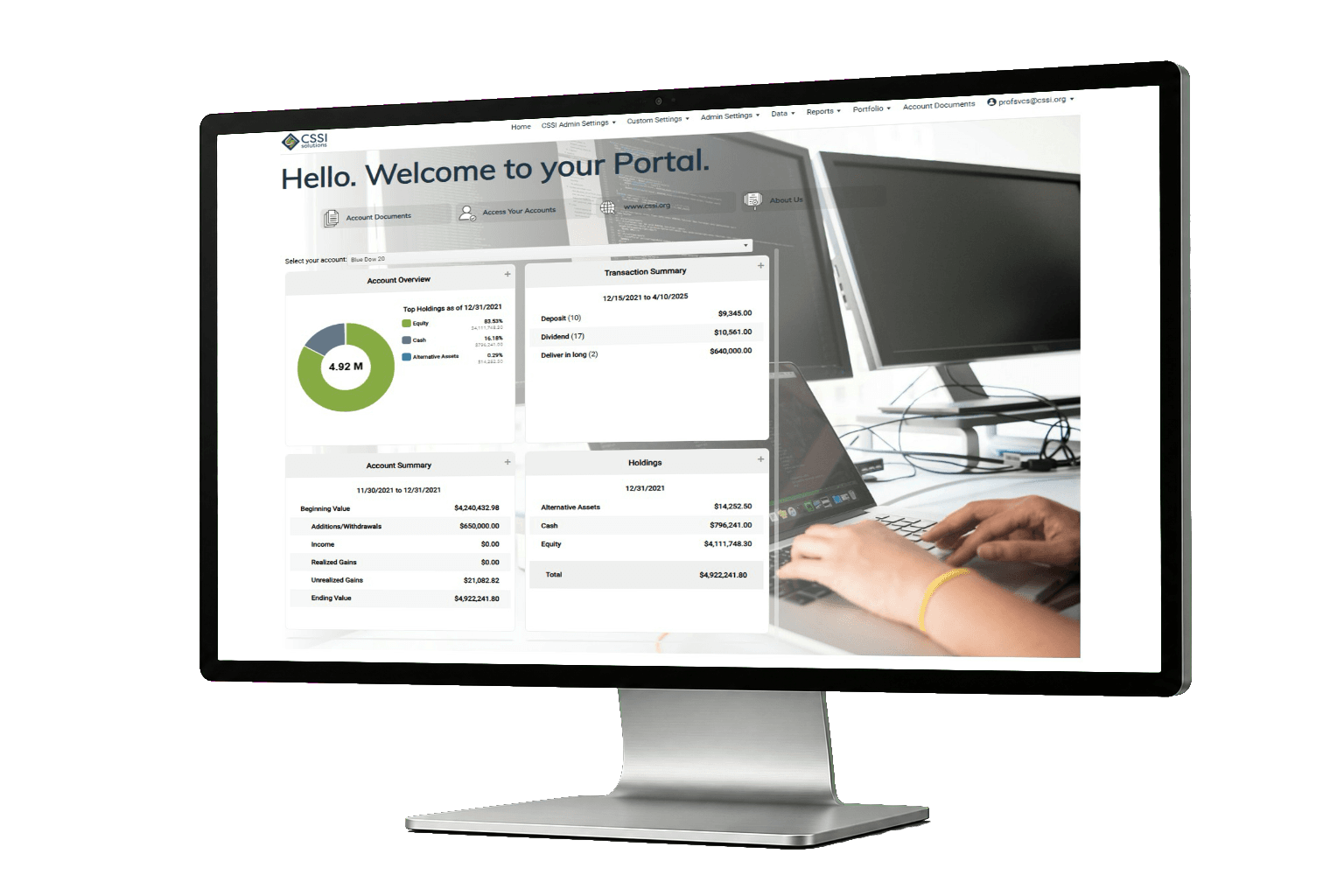
Client reporting portal built for real reporting workflows

Portal+ helps investment firms package reports, deliver them securely, and give clients a clean place to access documents and dashboards. It is designed to reduce manual steps and make delivery predictable.

  • Deliver reports through a vault, email notifications, or both
  • Support groups, households, and individual accounts
  • Give clients dashboards between reporting cycles
Client reporting portal

Common problems a reporting portal should solve

Too many one-off deliverables

When delivery is manual, small exceptions become constant interruptions. Portal+ helps standardize packaging and delivery.

Email is the wrong place for sensitive reports

A vault gives clients a single secure location, and your team a consistent distribution method.

Clients want answers between statements

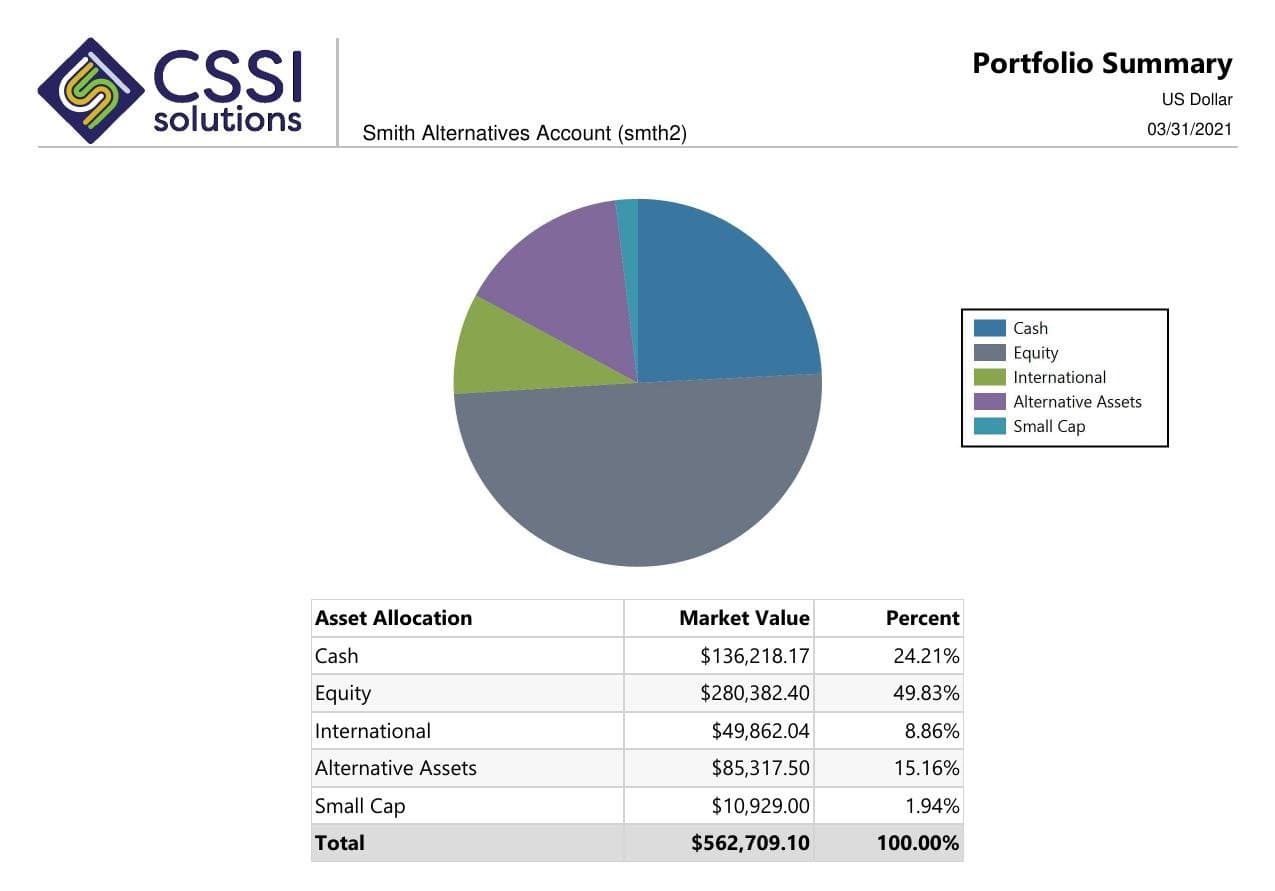
Dashboards and visualizations reduce back-and-forth by letting clients and staff self-serve common questions.

Who a client reporting portal is for

A reporting portal is not only for big firms. The need shows up as soon as reporting becomes a repeatable process that multiple people touch.

Firms with regular reporting cycles

If you do quarterly packages, month-end books, or regular performance reporting, the portal keeps delivery consistent. It also makes it easier to train new staff because the process is less dependent on "how Jane does it."

Teams that want fewer exceptions

Exceptions are what slow you down. A portal helps you standardize packaging and delivery, then handle the true one-offs without turning your week into a game of whack-a-mole.

Where reporting portals usually break

Most teams do not struggle because they cannot create a report. They struggle because delivery is manual and messy. This is what we see most often.

Delivery lists drift over time

Households change, emails change, and internal lists get out of date. A portal gives you a single place to manage access and delivery rules.

Packaging is inconsistent

One client gets the full package, another gets half, and nobody is sure why. Templates and saved packages reduce those mistakes.

Sensitive documents get emailed

Email attachments are convenient until they are not. A vault gives clients a secure place to access documents without forwarding or misrouting.

Clients want answers between statements

Dashboards help clients and staff self-serve common questions, which cuts down on ad hoc report requests.

What you get with Portal+

Packaging and templates

Build reusable packages, save templates, and deliver consistently across a large client base.

Document vault with access control

Store and deliver reports securely, with role-based access and clear organization for clients.

Visualizations and dashboards

Give clients and internal teams interactive views that help them get answers quickly.

Integration flexibility

Portal+ can connect across portfolio, CRM, trading, billing, and data sources. If you have file formats or APIs, CSSI can scope it.

Implementation, without the drama

A reporting portal should not require you to pause the business for months. The first milestone is simple: consistent delivery that your team trusts.

Start with one package

Pick one common deliverable. Once packaging and delivery are stable, everything else gets easier.

Tighten permissions early

Clients, advisors, and operations should each have a clean view. Getting roles right prevents future rework.

Pilot with a small group

A controlled rollout gives you real feedback without creating chaos across the whole client base.

Expand to dashboards

Once delivery is reliable, dashboards become a support tool instead of another thing to maintain.

What a reporting portal needs to do well

A reporting portal is not about adding another tool. It is about making delivery repeatable. Portal+ is built around packaging, secure access, and dashboards that reduce the number of manual requests your team gets.

Packaging that stays consistent

Templates and saved packages keep output predictable. When the package is stable, the client experience is stable.

A vault that clients can navigate

Clients should be able to retrieve prior reports without calling your team. A good vault makes that easy.

Dashboards for quick answers

Dashboards help between reporting cycles. They reduce the number of one-off report requests that derail the week.

Controlled access

Permissions matter. Clients and internal teams do not need the same view, and the portal should reflect that.

What changes after you centralize delivery

When delivery is centralized, the team stops solving the same small problems on repeat. Most of the improvement is not technical. It is operational.

  • Fewer resends because the vault becomes the source of truth.
  • Fewer packaging exceptions because templates and rules are explicit.
  • Fewer "quick report" requests because dashboards cover the common questions.
  • Cleaner handoffs because the workflow is not dependent on one person.

Why reporting portals fail, and what to do instead

The hard part of client reporting is rarely the report itself. The hard part is the chain of steps around it. Data comes in, a package gets built, delivery lists change, and exceptions show up right before the deadline. If the process is not controlled, the team ends up doing the same cleanup work every cycle.

A reporting portal should make delivery boring. Clients should know where to find documents. Staff should know which packages are standard. When something breaks, you want a clear path to fix the underlying issue, not another one off resend.

Portal+ combines a document vault with report packaging and delivery. The vault gives clients a stable place to retrieve reporting. Packaging and delivery keeps the workflow repeatable. Dashboards help cover the questions that fall between reporting periods.

If you are evaluating options, pay attention to the day two workflow. The portal will look great on day one. Day two is where teams discover they still need spreadsheets, manual lists, and tribal knowledge. That is what we try to remove.

If your team is currently spending time on packaging, distribution, resends, and access requests, a reporting portal can deliver value fast. The key is starting with one deliverable that matters, making that stable, and then expanding.

Common deliverables

Firms often start with quarterly reporting packages, performance summaries, and statement delivery. Once delivery is consistent, it becomes easier to add additional documents and more interactive views.

Questions to ask when comparing portals

A portal demo can look the same across vendors. Everyone has a login screen, a place for documents, and some charts. The real difference shows up after you go live.

First, ask how delivery works when the team is busy. Does your process depend on one person doing a manual run, or is it packaged and published in a consistent way. If a client says they cannot find something, is the answer a resend, or is the answer "It is in the vault under the same place it always is."

Second, ask what happens between reporting cycles. Clients will still call. They will still want a quick answer. If dashboards cover the common questions, your team keeps moving. If they do not, you end up generating custom output anyway.

Third, ask how permissions are managed. Most firms need different access for clients, advisors, and operations. If permissions are unclear, the portal becomes a risk instead of a help.

Finally, ask how the portal fits with your existing systems. In the real world, firms have multiple sources of data. A portal has to handle integrations and file formats without turning every request into a rebuild.

Talk through your reporting workflow

If you want a portal that feels modern to clients and workable for operations, we will walk your team through the pieces that matter.

FAQ

Is Portal+ a replacement for our portfolio system?

No. Portal+ is the client-facing layer for reporting and delivery. It can integrate with the systems you already use so you do not have to rip and replace your core stack.

What makes a reporting portal worth it?

When delivery is repeatable and controlled. If your team spends time on packaging, resends, and access requests every week, a portal usually pays back fast.

Can we control access by client type or internal role?

Yes. Portal+ supports role-based permissions so clients, advisors, and operations can have different views and different access.

Does this replace emailing reports to clients?

It can. Many firms start by using the vault as the source of truth, and then decide how much they want to notify by email. The goal is fewer attachments and fewer mistakes.

Can we deliver reports without adding per-user licensing costs?

Portal+ is designed to keep distribution scalable as your client base grows. If cost is a constraint in your current setup, call it out and we will talk through the model during the demo.

What is the best next step?

A short demo focused on your delivery workflow, reporting needs, and integration requirements.

Can clients download documents and reports?

Yes. The document vault is designed for clients to retrieve reporting and shared documents without needing your team to resend attachments.

What do advisors and client service teams see?

Internal users typically need a cleaner operational view. The portal can support different access and permissions so staff can do their work without exposing internal tools to clients.

Do we have to change our reporting process to use a portal?

You do not have to rebuild everything at once. Most firms start with one reporting package, get delivery stable, then expand.

How do we handle clients who prefer email?

Many firms notify clients by email but keep the portal as the source of truth for retrieval. The goal is fewer attachments and fewer misroutes.

Is Portal+ only useful for quarterly reporting?

Quarterly reporting is a common starting point, but the vault and dashboards can be used year round for ongoing access and quick answers.

Can we publish different packages to different client groups?

Yes. A common need is delivering different outputs by household, group, or client type. The point is to make that predictable, not manual.

What is a good pilot size?

A small set of households is enough to surface the real issues. Once the workflow is stable, scaling is much easier.

What is the biggest mistake teams make with portals?

Trying to roll out everything at once. A portal works best when you start with a single deliverable, make it consistent, then add more.

Does Portal+ support integrations?

Yes. Integrations depend on your environment and data sources. If you have file formats or APIs, CSSI can scope an integration and outline the next step.

How do we know if Portal+ is a fit?

If your team is doing resends, managing delivery lists manually, or answering the same document requests every week, a portal is usually worth evaluating.