Celebrating 31 Years of Client Service in 2026

610-992-9287
Portal+

Client portal for RIAs that makes reporting and delivery painless

Portal+ gives advisors and operations teams one place to deliver client reports, share documents securely, and give clients clean dashboards between reporting cycles.

  • Secure document vault for statements and reporting packages
  • Role-based permissions for clients and internal staff
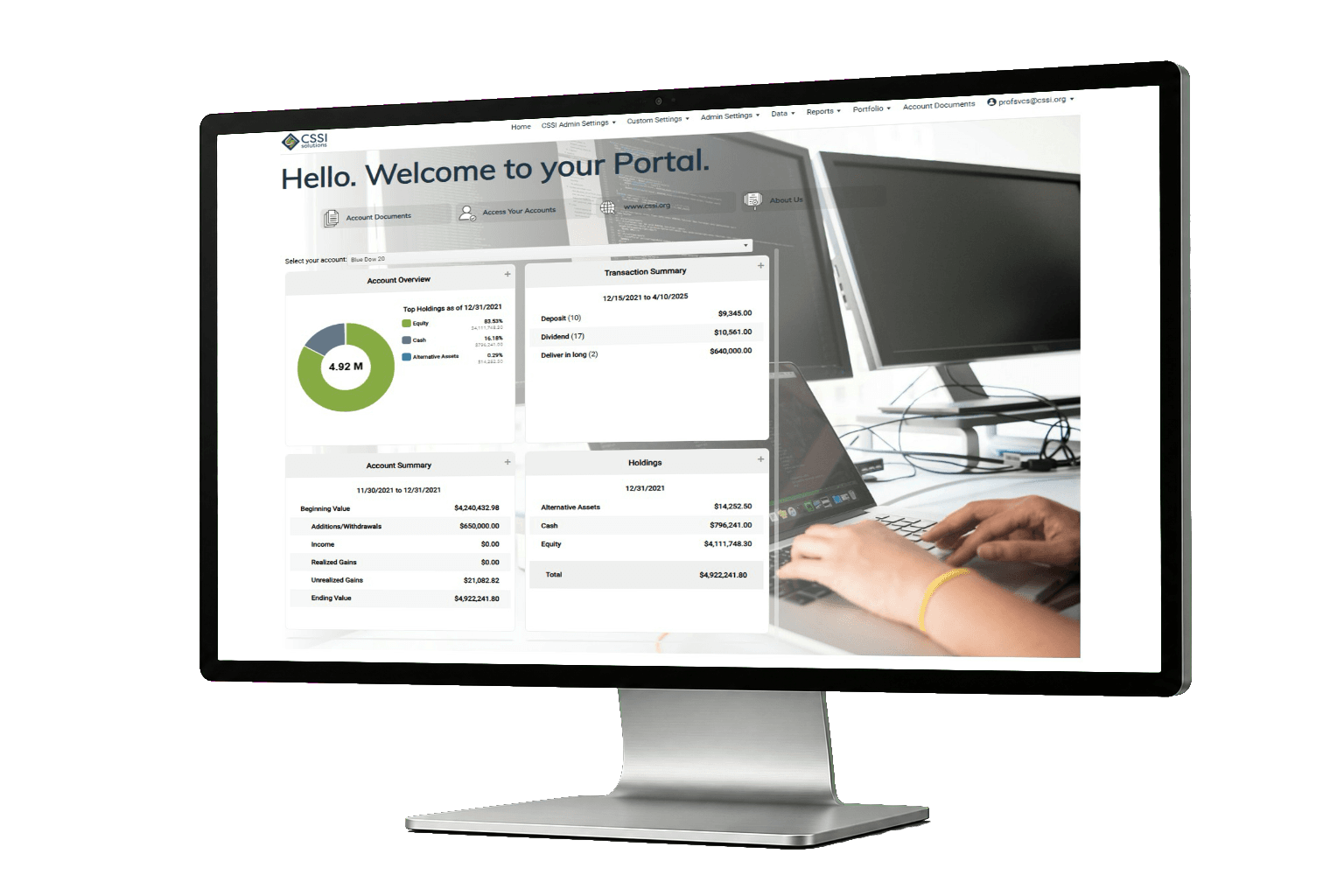
  • Dashboards and visualizations for quick answers between statements
Portal+ client portal

What Portal+ helps you fix

If your current workflow is a mix of email attachments, shared drives, and "Where is that report?" messages, this is the cleanup.

Cleaner report distribution

Create packages once, deliver them consistently, and reduce manual one-off work.

Secure client access

Move sensitive documents out of inboxes and into a vault with controlled access.

Fewer client questions

Dashboards and quick views help clients self-serve without waiting on your team.

Who Portal+ is for

This page is focused on RIAs, but Portal+ tends to fit any firm that does regular client reporting and wants a cleaner, more controlled way to deliver it.

Operations and reporting teams

If your team spends a lot of time packaging statements, sending attachments, fixing delivery lists, or answering "Can you resend that PDF?" emails, you will feel the impact quickly.

Client service and advisors

When clients have a portal they can use without help, the day-to-day questions drop. Advisors also get a cleaner way to share documents and keep conversations on track.

Common workflows

Here are a few situations where a portal pays for itself. These are not edge cases. They are the normal weekly annoyances that add up.

Quarter-end reporting packages

Generate the same set of reports for every household or group, deliver them in a consistent place, and avoid last minute scramble.

Client onboarding documents

Share welcome packets, account paperwork, and ongoing updates through a secure vault instead of back-and-forth email threads.

Ad hoc document requests

When a client asks for an old statement, your team should not have to dig through inboxes. With a vault, it is already there.

Between-cycle check-ins

Dashboards give clients and staff quick answers between reporting periods, which reduces the number of "Can you run a quick report?" requests.

What implementation looks like

You do not need a long consulting project to get value. The first goal is to get reporting and delivery working in a way your team trusts.

  1. Define the deliverable. What reports and documents go out, who gets them, and how often.
  2. Connect data sources. We review file formats and integrations needed for your environment.
  3. Set roles and access. Clients, advisors, and operations should each see the right things.
  4. Pilot with a small group. A handful of households is enough to surface the real issues.
  5. Roll out and refine. Once delivery is consistent, we add the next layer of dashboards and automation.

How it works

Connect data and integrations

Portal+ supports integrations across portfolio, trading, CRM, billing, and data sources. If you have file formats or APIs, CSSI can scope a custom integration.

Integration partner: El Camino Financial (partnership announcement)

Set roles and permissions

Give clients access to what they need, and keep internal tools internal. Permissions are managed by role and by user.

Deliver reports and documents

Publish to the vault, notify by email, and keep distribution consistent from one cycle to the next.

Support your team and your clients

Operations gets clarity and control. Clients get a portal that feels modern and easy to use.

What Portal+ includes

Portal+ is built around three things that show up in every client reporting workflow: a secure place for documents, a consistent way to package and deliver reports, and dashboards that answer common questions without generating a new PDF.

Document vault

Give clients one place to retrieve statements, reports, and shared documents. Instead of searching old email threads, clients can log in and find what they need.

Dashboards and visualizations

Dashboards help with the in between moments. When a client calls with a quick question, you should not need to run a full reporting package just to answer it.

Report packaging and delivery

Standardize how reports go out. The point is not to make reporting feel fancy. The point is to make it consistent so your team spends less time fixing exceptions at the deadline.

Integrations

Portal+ connects portfolio data with other systems. If you have file formats or APIs, CSSI can scope an integration and talk through timeline and cost.

A simple workflow walkthrough

Here is what a clean reporting cycle looks like when the portal is doing the heavy lifting.

  1. Prepare the package. Your team defines the set of reports and documents that should go out.
  2. Publish once. Reports are delivered through the portal, so distribution is not dependent on who is out of office.
  3. Notify clients. Clients get a consistent experience and a clear place to retrieve documents.
  4. Handle exceptions. When something is missing or incorrect, you fix the root cause instead of re-sending attachments all week.

What a client portal replaces for most RIAs

Most firms do not start out saying, "We need a portal." They get there after a year of small problems that never stop. The same reports have to go out every cycle. The same documents get resent. The same clients ask for the same files. It is not dramatic, it is just constant.

Portal+ is meant to replace the ad hoc mix of email attachments, shared drives, and "Let me find that for you" workflows. You still produce reports and documents. The difference is where they live and how they are delivered. When the vault becomes the default place to retrieve reporting, the volume of resends tends to drop.

Dashboards are a second lever. They are not a substitute for official reporting packages. They are there for the in between questions. When a client wants to know what changed since the last statement, a dashboard view can keep that conversation moving without creating a new custom report.

Finally, packaging and delivery matters because it keeps the process consistent. A portal does not help if every cycle becomes a new set of exceptions and manual fixes. The goal is for your team to trust the workflow.

If you are comparing portals, the question is simple. Do clients and internal teams have a clear place to retrieve documents and reporting, and does your delivery process hold up when people are busy and deadlines hit.

Quick self check

  • How many times per week does your team resend a report or statement?
  • Do clients have a single place to retrieve prior reporting without contacting your team?
  • Does your reporting process depend on one person remembering every exception?
  • Do advisors have a clean way to share documents that does not create a compliance headache?

Questions to ask when comparing portals

A portal demo can look the same across vendors. Everyone has a login screen, a place for documents, and some charts. The real difference shows up after you go live.

First, ask how delivery works when the team is busy. Does your process depend on one person doing a manual run, or is it packaged and published in a consistent way. If a client says they cannot find something, is the answer a resend, or is the answer "It is in the vault under the same place it always is."

Second, ask what happens between reporting cycles. Clients will still call. They will still want a quick answer. If dashboards cover the common questions, your team keeps moving. If they do not, you end up generating custom output anyway.

Third, ask how permissions are managed. Most firms need different access for clients, advisors, and operations. If permissions are unclear, the portal becomes a risk instead of a help.

Finally, ask how the portal fits with your existing systems. In the real world, firms have multiple sources of data. A portal has to handle integrations and file formats without turning every request into a rebuild.

Want to see Portal+ in action?

We will walk through the parts that matter for your workflow and your clients. You will leave the call with a clear next step, not a generic pitch.

FAQ

Is Portal+ tied to one portfolio management system?

No. Portal+ is designed to work across environments. If you have one system today and a different one in two years, your client experience does not need to be rebuilt from scratch.

Can we control what clients and internal teams see?

Yes. Portal+ supports role-based permissions. You can keep internal dashboards internal, and only publish the items clients should see in the vault.

What do clients actually use the portal for?

Most clients use it for two things: getting documents without emailing your team, and checking a dashboard when they want a quick answer between statements.

Is it secure enough for client reporting and document delivery?

Portal+ includes a document vault and permissions controls, and supports MFA. If your firm has a specific security checklist, we can review it during the demo.

Do we need to move everything to Portal+ on day one?

No. The clean approach is to start with one deliverable, get distribution working reliably, then expand to additional packages, dashboards, and workflows.

What is the best next step to evaluate fit?

A short demo focused on your reporting workflow and delivery requirements. If Portal+ is not a fit, we will tell you quickly.

Can clients download documents and reports?

Yes. The document vault is designed for clients to retrieve reporting and shared documents without needing your team to resend attachments.

What do advisors and client service teams see?

Internal users typically need a cleaner operational view. The portal can support different access and permissions so staff can do their work without exposing internal tools to clients.

Do we have to change our reporting process to use a portal?

You do not have to rebuild everything at once. Most firms start with one reporting package, get delivery stable, then expand.

How do we handle clients who prefer email?

Many firms notify clients by email but keep the portal as the source of truth for retrieval. The goal is fewer attachments and fewer misroutes.

Is Portal+ only useful for quarterly reporting?

Quarterly reporting is a common starting point, but the vault and dashboards can be used year round for ongoing access and quick answers.

Can we publish different packages to different client groups?

Yes. A common need is delivering different outputs by household, group, or client type. The point is to make that predictable, not manual.

What is a good pilot size?

A small set of households is enough to surface the real issues. Once the workflow is stable, scaling is much easier.

What is the biggest mistake teams make with portals?

Trying to roll out everything at once. A portal works best when you start with a single deliverable, make it consistent, then add more.

Does Portal+ support integrations?

Yes. Integrations depend on your environment and data sources. If you have file formats or APIs, CSSI can scope an integration and outline the next step.

How do we know if Portal+ is a fit?

If your team is doing resends, managing delivery lists manually, or answering the same document requests every week, a portal is usually worth evaluating.