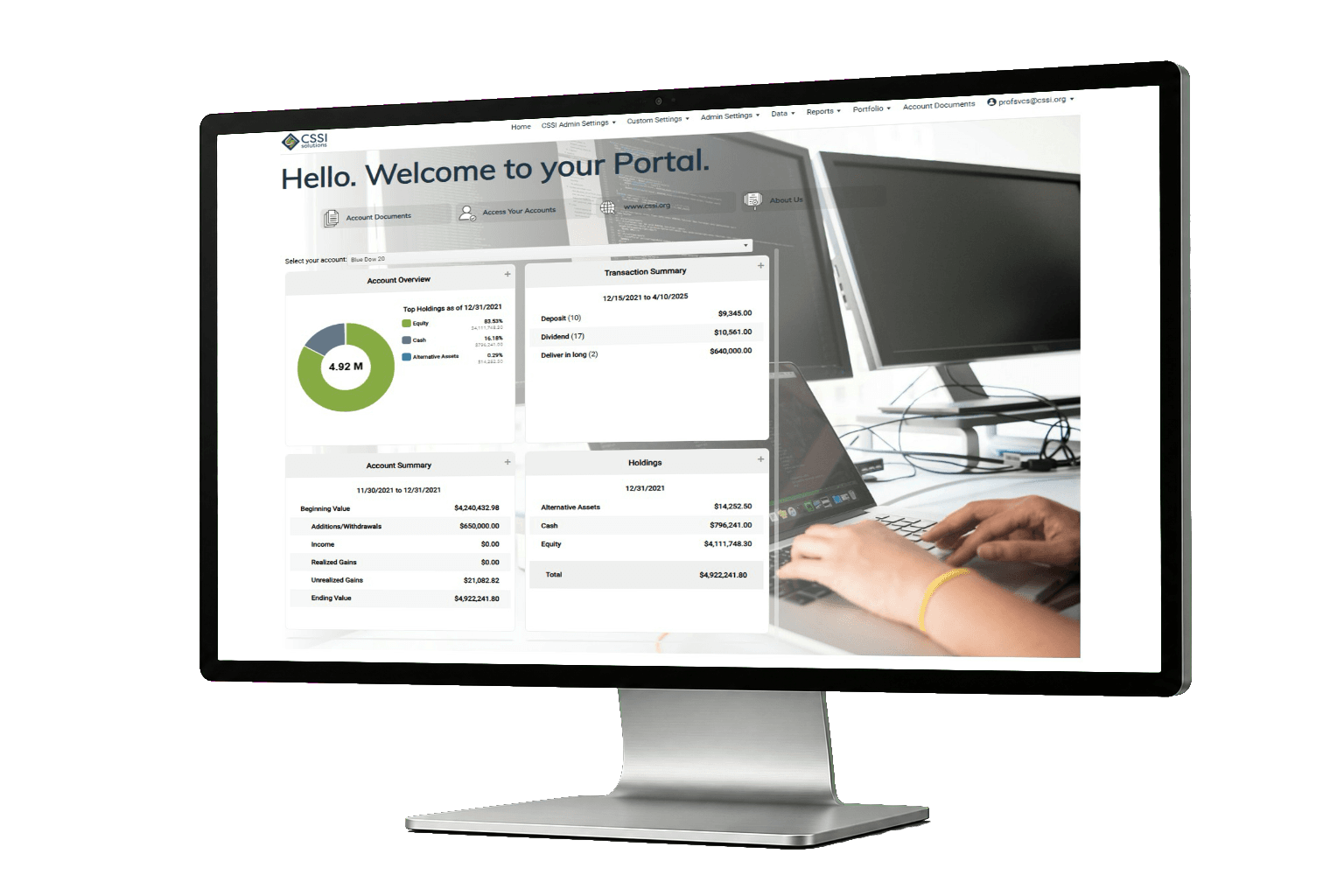
Advisor portal for reporting and delivery
Advisors need a portal that clients can actually use. Operations needs a delivery process that does not fall apart. Portal+ is built for both.
- Deliver reports and documents through a vault, not a messy email trail
- Give clients dashboards between reporting cycles
- Reduce resends, one-offs, and access requests

What an advisor portal should handle
Most portals fail in small ways. A link breaks, a package gets sent to the wrong place, or clients cannot find a document. The right portal makes the basics boring.
Consistent delivery
Report packages go out the same way every time, which reduces last minute cleanup.
Secure document access
Clients can find what they need without asking your team to resend it.
Clarity between statements
Dashboards help answer common questions without generating a new report for every request.
How firms use Portal+ day to day
This is the practical side. If these workflows sound familiar, an advisor portal is usually worth prioritizing.
Quarterly report distribution
Generate and publish packages, notify clients, and keep delivery consistent across households and groups.
Client meeting prep
Advisors pull the latest documents and quick views before a meeting without hunting through email threads.
Client requests and resends
Instead of resending attachments, clients can retrieve prior reports in the vault.
Between-cycle questions
Dashboards provide quick answers, which reduces ad hoc reporting work for your team.
What advisors care about, in plain language
Advisors do not want another login that clients avoid. They want a portal that keeps the client conversation moving. That usually means documents are easy to retrieve, reporting is delivered the same way every time, and quick answers are available without a new PDF.
Less time on resends
When a client loses an attachment, the advisor should not become a help desk. A vault reduces that back and forth.
Cleaner meeting prep
Before a meeting, advisors should be able to pull the latest documents and a few key views without guessing where the file lives.
Implementation checklist
A good rollout starts small. The goal is a stable delivery process first, then dashboards and additional automation.
- Pick one report package that matters and define what "done" looks like.
- Decide which documents belong in the vault and who should see them.
- Confirm how clients will be notified when new reporting is available.
- Run a pilot with a small set of households and refine before expanding.
Where an advisor portal helps the most
Most advisor portal problems show up as friction. Clients cannot find a document. An attachment is missing. A meeting is coming up and nobody is sure which version is the latest. The advisor ends up acting like support, and the operations team ends up doing resends.
Portal+ is built to give advisors and client service a consistent place to deliver reports and documents. When the vault is the default, clients have a single habit to learn. That alone can reduce a surprising amount of back and forth.
Dashboards help on the client relationship side. Clients do not only want quarterly statements. They want quick answers in the middle of a quarter, especially when markets move. Dashboards and visualizations are there to support those conversations.
A good advisor portal also has to work for operations. If delivery is inconsistent, the advisor experience will be inconsistent. The portal has to support packaging and delivery rules so the team can trust the process.
What to decide early
- Which documents and reports should always be available in the vault.
- How clients will be notified that new reporting is available.
- What internal users need versus what clients should see.
- Which workflow you will stabilize first, before adding more features.
Questions to ask when comparing portals
A portal demo can look the same across vendors. Everyone has a login screen, a place for documents, and some charts. The real difference shows up after you go live.
First, ask how delivery works when the team is busy. Does your process depend on one person doing a manual run, or is it packaged and published in a consistent way. If a client says they cannot find something, is the answer a resend, or is the answer "It is in the vault under the same place it always is."
Second, ask what happens between reporting cycles. Clients will still call. They will still want a quick answer. If dashboards cover the common questions, your team keeps moving. If they do not, you end up generating custom output anyway.
Third, ask how permissions are managed. Most firms need different access for clients, advisors, and operations. If permissions are unclear, the portal becomes a risk instead of a help.
Finally, ask how the portal fits with your existing systems. In the real world, firms have multiple sources of data. A portal has to handle integrations and file formats without turning every request into a rebuild.
See Portal+ with your workflow
We will walk through delivery, document access, and the parts your team touches every week. If it is not a fit, you will know quickly.
FAQ
Is this only for RIAs?
RIAs are a common fit, but Portal+ can work for any firm that needs consistent delivery, secure document access, and a client-friendly portal experience.
Does Portal+ replace our portfolio system?
No. Portal+ is the portal and delivery layer. It can integrate with the systems you already use.
What do clients use it for?
Most clients use it to retrieve documents without emailing your team, and to check a dashboard when they want a quick answer.
Is this meant for clients or advisors?
Both. Clients get a clean place to retrieve documents. Advisors and client service get a consistent process, fewer resends, and fewer access requests.
What is the best next step?
A short demo focused on your reporting workflow and delivery requirements.
Can clients download documents and reports?
Yes. The document vault is designed for clients to retrieve reporting and shared documents without needing your team to resend attachments.
What do advisors and client service teams see?
Internal users typically need a cleaner operational view. The portal can support different access and permissions so staff can do their work without exposing internal tools to clients.
Do we have to change our reporting process to use a portal?
You do not have to rebuild everything at once. Most firms start with one reporting package, get delivery stable, then expand.
How do we handle clients who prefer email?
Many firms notify clients by email but keep the portal as the source of truth for retrieval. The goal is fewer attachments and fewer misroutes.
Is Portal+ only useful for quarterly reporting?
Quarterly reporting is a common starting point, but the vault and dashboards can be used year round for ongoing access and quick answers.
Can we publish different packages to different client groups?
Yes. A common need is delivering different outputs by household, group, or client type. The point is to make that predictable, not manual.
What is a good pilot size?
A small set of households is enough to surface the real issues. Once the workflow is stable, scaling is much easier.
What is the biggest mistake teams make with portals?
Trying to roll out everything at once. A portal works best when you start with a single deliverable, make it consistent, then add more.
Does Portal+ support integrations?
Yes. Integrations depend on your environment and data sources. If you have file formats or APIs, CSSI can scope an integration and outline the next step.
How do we know if Portal+ is a fit?
If your team is doing resends, managing delivery lists manually, or answering the same document requests every week, a portal is usually worth evaluating.